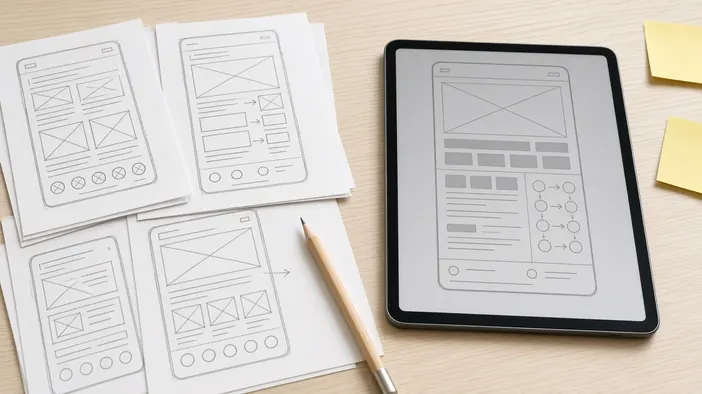
Explaining in words what a site or bot should be like is hard. The client imagines one thing, the developer hears another, and the gap surfaces once work is under way. This used to be solved by drawing mockups, which took days.
Now a rough prototype can be built with AI in an evening, even without programming experience. Below is how to do it usefully and where the line runs between a prototype and a product.
What a prototype is and why it helps
A prototype is a clickable draft: screens, buttons, the order of steps. Payments, a database, and sending requests do not have to work in it. Its job is to show the idea in a form you can touch.
- You see what is missing and what is extra before talking to a developer
- The developer understands the task faster and estimates the work more accurately
- The discussion is about concrete screens, not abstract wishes
How to build a draft with AI
Tell an AI assistant who the site or bot is for, what a person should be able to do, and which screens you imagine. Ask for a simple page or a bot dialog script. Then refine it: "add a step to pick a date", "make the form shorter", "show how it looks on a phone".
Do not chase looks. The order of steps, the button labels, and what data the user is asked for matter more.
How to hand the prototype to a developer
A prototype works best alongside a short task description. Attach a link or files, list what matters in the prototype and what was done in a hurry, and describe what it does not show: who receives requests, how payments are taken, who will update the content.
How to write such a description is covered in a website brief, and for bots in a Telegram bot brief.
Why a prototype is not a finished product
Code that AI writes for a draft is usually not built for real visitors. Security, error handling, speed, data storage, and different devices may not be thought through. The prototype looks convincing, and it is tempting to just put it online.
Better not, especially if the site or bot takes personal data or money. What exactly to check in AI-written code is in a separate post, AI-written code: what to check before launch.
Where AI keeps helping
The prototype is not the only benefit. AI helps prepare a list of questions for the developer, draft copy, and page structure. During development it speeds up the routine part of the work, as described in building with AI.
If you already have a prototype or an idea, you can discuss turning it into a working website or Telegram bot. Get in touch.